What Is an IP Address? How It Works Explained
Every time you send an email, stream a video, or load a webpage, your device uses an IP address to communicate. It’s the digital equivalent of a mailing address, but far more dynamic. In this guide, you’ll learn exactly what an IP address is, how it works behind the scenes, and why it matters for everything from privacy to network troubleshooting.
The Basics: What an IP Address Actually Is
An IP address, short for Internet Protocol address, is a unique string of numbers assigned to every device that connects to a computer network. Think of it as a phone number for your device: without it, data can’t be routed to the right destination. The Internet Protocol, defined by the Internet Engineering Task Force (IETF) in RFC 791 back in 1981, sets the rules for how data packets are addressed and delivered across networks.
Contrary to popular belief, an IP address doesn’t identify a specific person or physical location. It identifies a network interface, which could be your laptop, smartphone, smart TV, or even a server in a data center. Your internet service provider (ISP) assigns it, and it can change over time.
How IP Addresses Work: The Postal System Analogy
When you request a webpage, your device breaks the request into small data packets. Each packet gets a header containing the source and destination IP addresses, much like an envelope with a return address and a recipient address. Routers along the path read the destination IP and forward the packet toward its destination. This process, called routing, happens in milliseconds across dozens of hops.
Your device doesn’t need to know the entire path. It only needs to know the address of a gateway (usually your home router), which then forwards the packet to your ISP, and so on. This decentralized design is what makes the internet resilient: if one route fails, packets can take another.
IPv4 vs. IPv6: The Two Versions
There are two main versions of IP addresses in use today: IPv4 and IPv6. IPv4, the original, uses 32-bit addresses, which yields about 4.3 billion unique addresses. That seemed like plenty in 1981, but the explosion of internet-connected devices exhausted the supply. IPv6 uses 128-bit addresses, providing 340 undecillion (3.4 x 10^38) addresses. That’s enough to assign an IP to every atom on Earth’s surface many times over.
IPv6 adoption is growing. According to Google’s statistics, as of 2024, about 45% of users access Google services over IPv6. Most modern operating systems and networks support both versions, often running them in parallel (dual-stack).
Public vs. Private IP Addresses: What’s the Difference?
Not all IP addresses are created equal. Public IP addresses are globally unique and routable on the internet. Private IP addresses, defined in RFC 1918, are reserved for use within local networks. Your home router assigns private IPs (like 192.168.1.10) to your devices, while the router itself has a public IP assigned by your ISP. This setup, called NAT (Network Address Translation), lets multiple devices share a single public IP.
In practice, NAT is why your laptop and phone can both browse the web simultaneously without needing separate public IPs. It also adds a layer of security by hiding internal devices from direct internet access.
Static vs. Dynamic IP Addresses
ISPs typically assign dynamic IP addresses, which change periodically (often every 24 hours or on reconnect). Static IPs remain fixed and are often used for servers, remote access, or business networks. Most home users don’t need a static IP, but it can be useful for running a home server or accessing security cameras remotely.
How IP Addresses Affect Your Online Experience
Geolocation and Content Delivery
Websites use your IP address to approximate your location, typically at the city or regional level. This enables content delivery networks (CDNs) like Cloudflare to serve content from a nearby server, reducing latency. It’s also how streaming services enforce regional licensing and how advertisers target local ads.
Privacy and Security
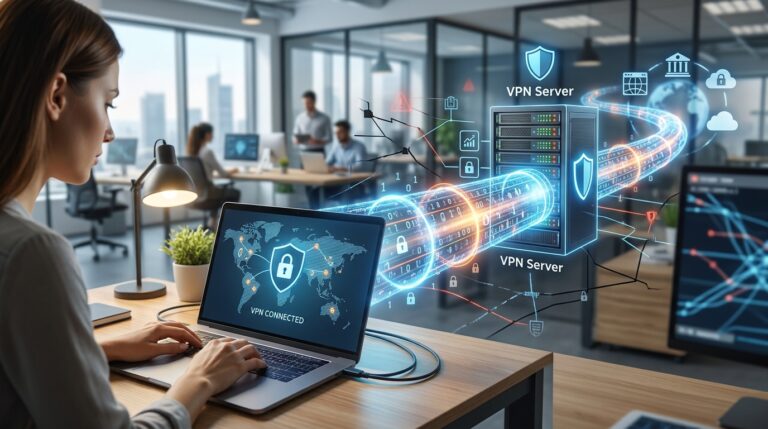
Your IP address can reveal your approximate location and ISP. That’s why many people use VPNs to mask their IP. However, an IP address alone doesn’t expose your name or exact address. In legal contexts, only your ISP can link an IP to a subscriber, and they require a court order to do so.
Troubleshooting Network Issues
If you’re having connectivity problems, checking your IP address is a first step. On Windows, run ipconfig; on macOS or Linux, use ifconfig or ip addr. If you see an address starting with 169.254.x.x, your device failed to get an IP from the DHCP server, indicating a network issue.
How to Find Your IP Address
You can find your public IP by visiting a site like whatismyip.com or searching “what’s my IP” on Google. For your private IP, check your device’s network settings:
- Windows: Open Command Prompt and type
ipconfig. Look for “IPv4 Address.” - macOS: Go to System Settings > Network > Wi-Fi > Details. Your IP appears under TCP/IP.
- iPhone/iPad: Settings > Wi-Fi > tap the “i” icon next to your network.
- Android: Settings > Network & internet > Wi-Fi > tap your network.
Keep in mind that your public IP is what websites see, while your private IP is only relevant within your home network.
The Future of IP Addressing
As IPv6 adoption continues, the need for NAT will diminish, potentially simplifying network configurations. However, IPv4 will remain in use for years due to legacy systems. The IETF has also explored other addressing schemes, but IPv6 is the clear path forward. For now, understanding both versions is essential for anyone working with networks.
Conclusion
An IP address is the foundation of internet communication, quietly directing every packet to its destination. Whether you’re troubleshooting a connection or just curious about how your data travels, knowing the difference between public and private IPs, IPv4 and IPv6, and dynamic and static addresses gives you a clearer picture of the digital world. Next time you go online, remember: your device has a number, and it’s working hard to keep you connected.
Q: What is an IP address in simple terms?
An IP address is a unique number assigned to a device on a network, like a mailing address for your computer. It lets data know where to go. Without it, your device couldn’t send or receive information over the internet.
Q: How do I find my IP address?
For your public IP, search “what’s my IP” on Google. For your private IP, check your device’s network settings: on Windows, run ipconfig in Command Prompt; on macOS, go to System Settings > Network; on mobile, look under Wi-Fi settings for your connected network.
Q: What’s the difference between IPv4 and IPv6?
IPv4 uses 32-bit addresses, allowing about 4.3 billion unique addresses. IPv6 uses 128-bit addresses, providing a vastly larger number (340 undecillion). IPv6 was created to solve IPv4 address exhaustion and is gradually being adopted worldwide.
Q: Can someone track me with my IP address?
Your IP address can reveal your approximate location (city level) and ISP, but not your name or exact address. Only your ISP can link an IP to a specific subscriber, and they require legal authorization to do so. Using a VPN masks your IP from websites.
Q: Why does my IP address change?
Most ISPs assign dynamic IP addresses that change periodically, often every 24 hours or when you reconnect. This helps manage network resources. Static IPs, which don’t change, are typically used for servers or business networks that need consistent addressing.